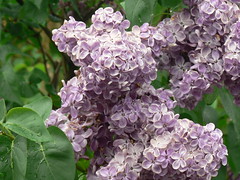
I knew this one would take a long time, I could edit and tweak my scrapbook forever! But I finally had to stop if I'm going to get the rest of the Things done in time.
I chose to try out Scrapblog for this Thing. It was quite easy to use, even without viewing the video tour or any of the help provided. I had no problem choosing a theme or building pages. There are a lot of options--almost too many. I'd keep browsing around for different backgrounds or objects to add to my book. I chose a similar theme to what I used for Thing #37, my garden.
Since I live at quite a distance from the rest of my family, I keep trying different ways to keep in touch with them by sharing photos. The tools I've learned about here are things I am sure I will use again.
The information about using scrapbooking for education reminded me that when my brother was working on his teaching license he learned about using scrapbooks as a tool. I can definitely see its place in education. In some classes at my college students are required to keep a journal, and e-portfolios are becoming common. Creating an electronic, multimedia scrapbook is an intriguing variation on both these approaches.
Showing posts with label images. Show all posts
Showing posts with label images. Show all posts
Thursday, June 18, 2009

Wednesday, June 17, 2009
Thing #37 -- Photo Tales
For organizing personal photos I use iPhoto and combine it with the Gallery feature of my MobileMe account to share them on the web. I've found iPhoto extremely easy to use, and it's pretty economical for getting prints of pictures. The application comes with tools to design cards and upload the images and your design to Apple for printing. We used this for our Christmas cards this past year. One other project my husband is working on is a family memory book of old family photos. He is using iPhoto to layout the pictures on each page and add captions of who is in each photo. Once he's finished we'll be able to get a hardcover book of the pictures to give to family members.
Obviously, I have found a lot of use for these kinds of tools in my personal life, but (as with many of these Things) I'm not sure what place they have in my library. My college has a Flickr account used to share photos of student events and other happenings on campus, but the library doesn't. Photos that we share are posted to our Facebook page. One potential use of the tools in this thing would be to post links to some of the stock photo sites or captioning sites for students who may need to use images in presentations. But then again, how likely would students be to think of the library web site as a resource to fill that need?
I've played around some with iMovie, but for this Thing I tried One True Media's montage site. It is pretty intuitive to use, and offers a lot of choices for editing, even if you don't have a premium (ie. paid) account. My only quibble is the image quality of the online sharable version isn't very good, and the watermark takes up a lot of real estate. I used it for this project, but don't know if I will go back to it agian. Given the time of year, I created a story about my garden.
Obviously, I have found a lot of use for these kinds of tools in my personal life, but (as with many of these Things) I'm not sure what place they have in my library. My college has a Flickr account used to share photos of student events and other happenings on campus, but the library doesn't. Photos that we share are posted to our Facebook page. One potential use of the tools in this thing would be to post links to some of the stock photo sites or captioning sites for students who may need to use images in presentations. But then again, how likely would students be to think of the library web site as a resource to fill that need?
I've played around some with iMovie, but for this Thing I tried One True Media's montage site. It is pretty intuitive to use, and offers a lot of choices for editing, even if you don't have a premium (ie. paid) account. My only quibble is the image quality of the online sharable version isn't very good, and the watermark takes up a lot of real estate. I used it for this project, but don't know if I will go back to it agian. Given the time of year, I created a story about my garden.

Friday, March 21, 2008
Thing #6 -- Online image generators

For creating images and other things, the Generator Blog does have a lot of tools--it would take quite a while to go through all of them. This image was actually made using Big Huge Labs Motivator tool. Image generating tools could be useful as a source for web graphics, especially with the ability to add custom text to highlight library notices or events. It makes the notices more eye catching than plain web text would be. And Carleton's use of trading cards for their librarians is clever--more creative than the typical name, phone, email, kinds of contact information, or dry personal web pages.
Playing off the season, here are some Easter eggs from GlassGiant.com:

Tuesday, March 18, 2008
Thing #5 -- have fun with Flickr
Ok, so playing with some of these mashups is cool. (And a potential big time waster.) I tried several of them out. In addition to the ones below, some of the ones I looked at include splashr, Flickeur (kind of arty, kind of bizarre), and Tagnautica. I'm not exactly a visual learner, and Tagnautica's interface didn't work that well for me--I'd want to click on a new tag but the process of moving my mouse over to it made the whole wheel of tags spin around to a different spot from where I wanted.
As far as applying all of this to my library goes, I don't see many uses right off the bat, although Captioner has possibilities. I can see using it in posters or even tutorials. And as a sometime web and graphic designer for my library I should file the Palette Generator away in my professional toolbox. I might browse other 23 Things blogs to see what Flickr-related uses others are coming up with.
Here's spelling with Flickr. I tried to find letters whose colors wouldn't clash with my color scheme.:


And here's a David Hockney-esque version of a picture from my iPhoto library (created using Big Huge Labs' Hockneyizer):

As far as applying all of this to my library goes, I don't see many uses right off the bat, although Captioner has possibilities. I can see using it in posters or even tutorials. And as a sometime web and graphic designer for my library I should file the Palette Generator away in my professional toolbox. I might browse other 23 Things blogs to see what Flickr-related uses others are coming up with.
Here's spelling with Flickr. I tried to find letters whose colors wouldn't clash with my color scheme.:
And here's a David Hockney-esque version of a picture from my iPhoto library (created using Big Huge Labs' Hockneyizer):

Monday, March 17, 2008
Thing #4 -- Flickr
I've explored Flickr a bit, primarily for personal reasons (it's one of the ways my brother-in-law shares photos with family), but my library-related experience with Flickr has mostly been limited to seeing it in Library 2.0 presentations I've attended. I confess for the most part I've had a hard time seeing ways to integrate Flickr usefully into my job. But browsing what other libraries have done made me think that maybe there are ways to use it.
I can see applications for it in archives and special collections, such as the Library of Congress site. I was made aware of their Flickr page early this year, and included it on my library's web site as the site of the month for February. Flickr is a way to reach a wider audience of people who can potentially identify and provide background information for photographs in library collections. Right after library school I did an internship in the archives of a summer dance institute. We were trying to identify dancers in old photographs by taking them (the photos, that is) to staff meetings. Having something like Flickr available then would have helped us get broader input.
I liked what the Clemens and Alcuin libraries did with their book displays--it would be easy for us to set up something similar. I was also intrigued by their library tour, but then started asking questions. Is Flickr a better place for a library virtual tour than the library's own web site? Is that where people are more likely to find it? Or is it just a matter of getting the library out into other places, as well as the web site? The rollover map is a nice feature, and I see that Flickr applications are the next Thing. So maybe my future explorations for Thing #5 will allow me to see more uses for Flickr in the library world.
Oh, and here's my image. The warm weather last week had me thinking that maybe spring is here.

(Photo by lapillus)
I can see applications for it in archives and special collections, such as the Library of Congress site. I was made aware of their Flickr page early this year, and included it on my library's web site as the site of the month for February. Flickr is a way to reach a wider audience of people who can potentially identify and provide background information for photographs in library collections. Right after library school I did an internship in the archives of a summer dance institute. We were trying to identify dancers in old photographs by taking them (the photos, that is) to staff meetings. Having something like Flickr available then would have helped us get broader input.
I liked what the Clemens and Alcuin libraries did with their book displays--it would be easy for us to set up something similar. I was also intrigued by their library tour, but then started asking questions. Is Flickr a better place for a library virtual tour than the library's own web site? Is that where people are more likely to find it? Or is it just a matter of getting the library out into other places, as well as the web site? The rollover map is a nice feature, and I see that Flickr applications are the next Thing. So maybe my future explorations for Thing #5 will allow me to see more uses for Flickr in the library world.
Oh, and here's my image. The warm weather last week had me thinking that maybe spring is here.

(Photo by lapillus)
Subscribe to:
Posts (Atom)

 Posts